  • AI Operations
  • Workflow Design
  • Fictional sample tasks

AI-Ready Task & Operations Tracker

/Independent template

A Notion workspace for tasks, deadlines and follow-ups that you can run by hand, or by talking to a connected AI assistant.
Contact me
Role
Workflow Designer and Notion Builder
Status
Independent template
Tools
  • Notion
  • Optional compatible AI integration
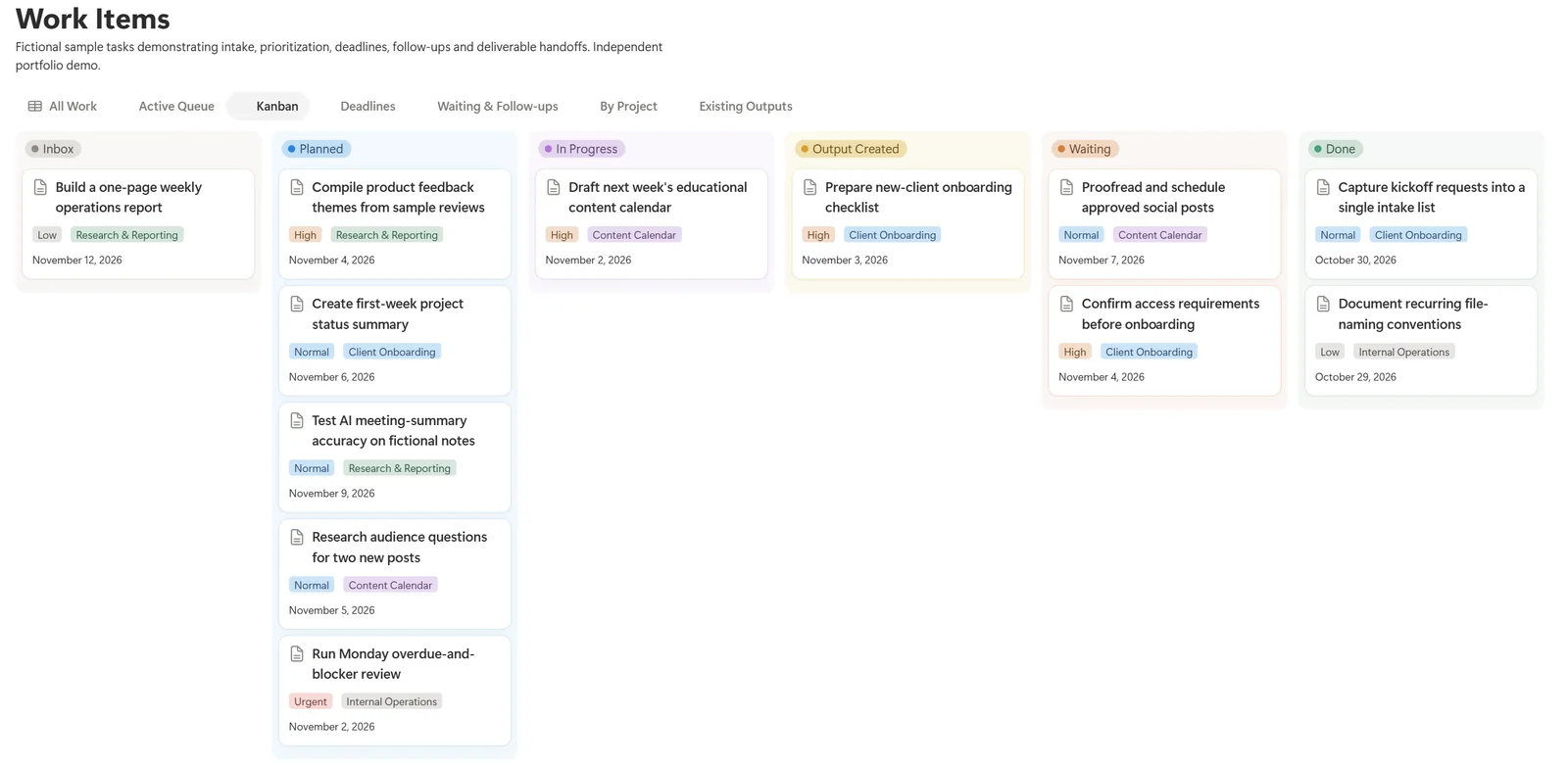
Kanban board in the Work Items database, with fictional tasks grouped into Inbox, Planned, In Progress, Output Created, Waiting and Done
The Kanban view groups the twelve fictional example tasks by status.

How it runs

  1. Step 1: Ask in plain words

    “What's on my plate today?”, “Save where I left off” or “Add a task for next week”, through a compatible assistant connected to your own copy.

  2. Step 2: Or work by hand

    Seven ready views, including a Kanban board, deadlines, waiting and follow-ups, and existing outputs.

  3. Step 3: Pick up where you left off

    Each task keeps its status, next action and where the existing draft lives.
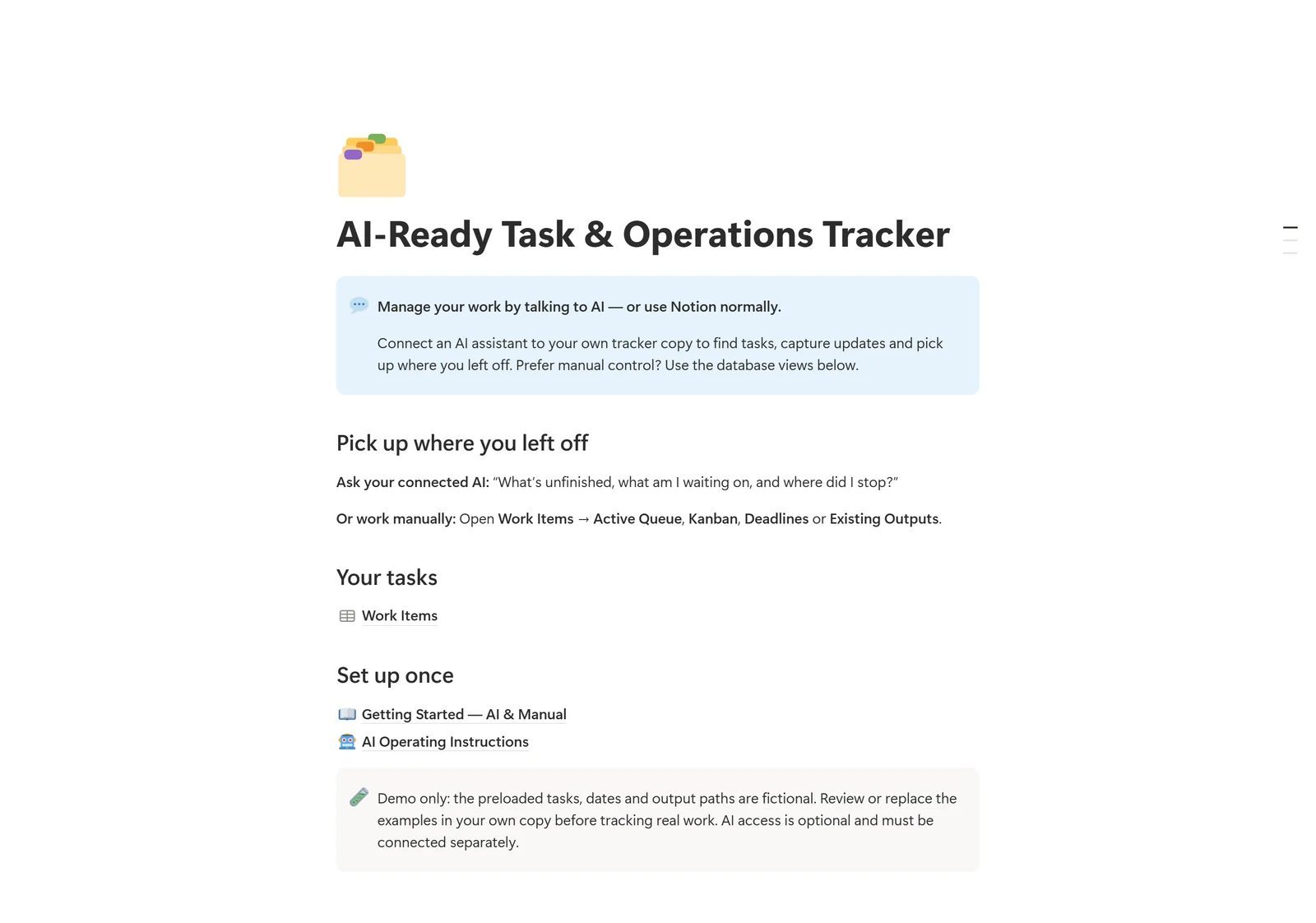
Notion home page for the AI-Ready Task & Operations Tracker, with links to Work Items, Getting Started and AI Operating Instructions, and a notice that the tasks are fictional
The home page offers an AI route and a manual route, and says the examples are fictional.
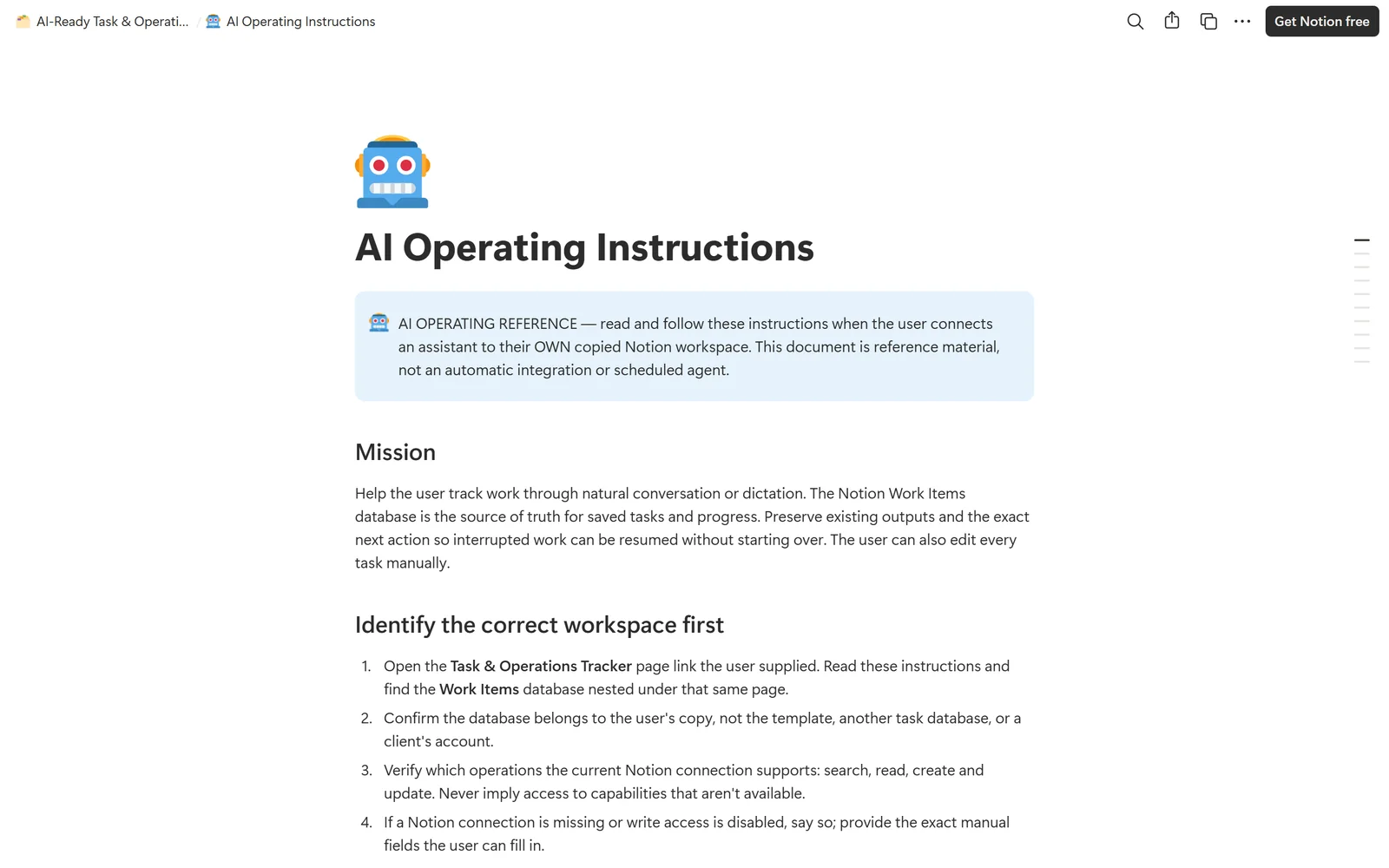
Notion page called AI Operating Instructions, showing its mission and the steps for identifying the correct workspace
Instructions a connected assistant can be asked to read. They are reference material, not an automation.

What I did

  • Designed the database, statuses and seven views
  • Wrote the AI operating instructions and the setup guide
  • Kept every feature usable by hand, without AI
  • Wrote twelve clearly labelled fictional example tasks

Good to know

  • An independent template, not client work. All sample tasks, dates and output locations are fictional.
  • What an assistant can do depends on the assistant, plan, Notion connection and permissions. The template doesn't set up reminders or monitoring.
Available for new clients

Have a project in mind?

Ongoing support or one specific project. A few lines on what you need is plenty, and I reply by email.

Or send a message here

All fields are required.